Free Report Templates

Free Business, Work, Office Report Templates

Gradebook Template (Excel School Student Grade Sheet)

What is Gradebook?

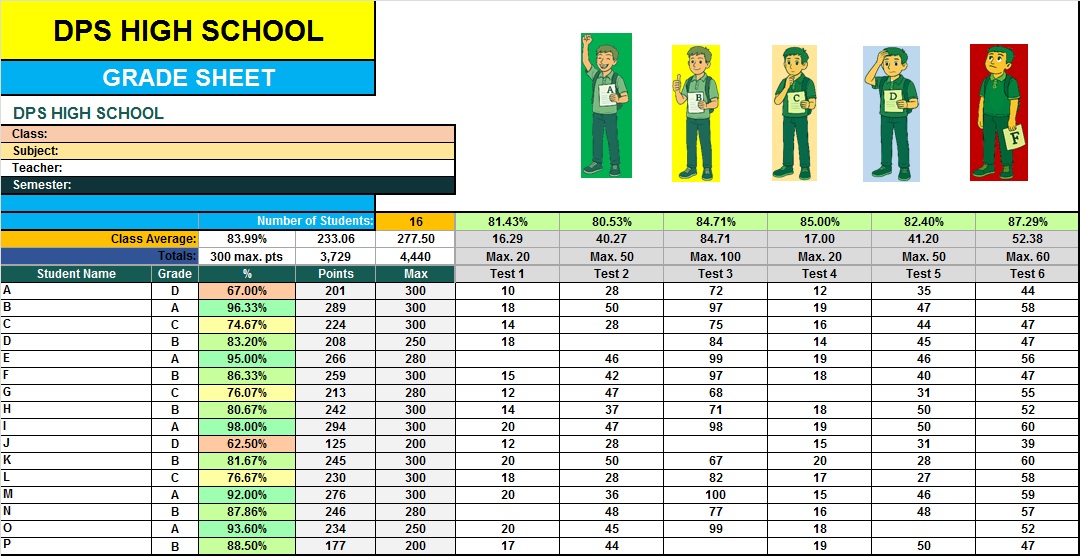
A gradebook  is a students record-keeping documents system where school, college or other educators enter scores or a pre-designed format used by teachers to record and manage student grades for assignments, quizzes, exams, and other forms of assessment. These students records help teachers monitor how well students understand the material being taught.

DEFINE INTO CHINES

(可以把成绩册模板看作是一种用于跟踪和整理学生数据的工作表。无论你教授多个学期、涵盖不同科目,还是为每种作业类型创建单独的表格,这些文档都可以帮助你列出学生姓名、记录成绩和分数,并使用公式来计算总分。) See also school timetable template.

Types of Gradebooks

There are two main types of gradebooks: traditional and digital.

1. Traditional Gradebooks

2. Digital Gradebooks

Features of a Good Gradebook Template

A well-designed gradebook template should include several important features:

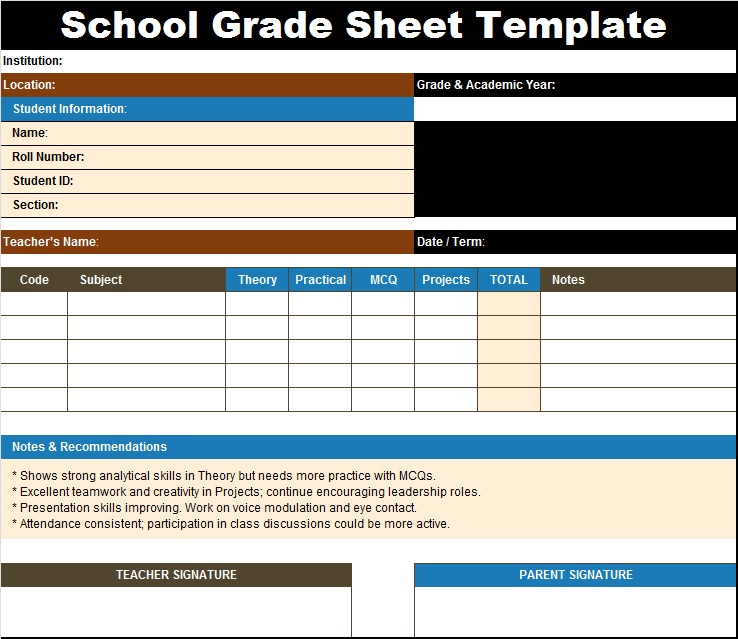
  1. Student Information Section: Names, IDs, or roll numbers
  2. Assignment Columns: Space for quizzes, homework, and exams
  3. Automatic Calculations: Total marks, averages, and percentages
  4. Attendance Tracking: Record of student presence
  5. Comments Section: Space for teacher feedback
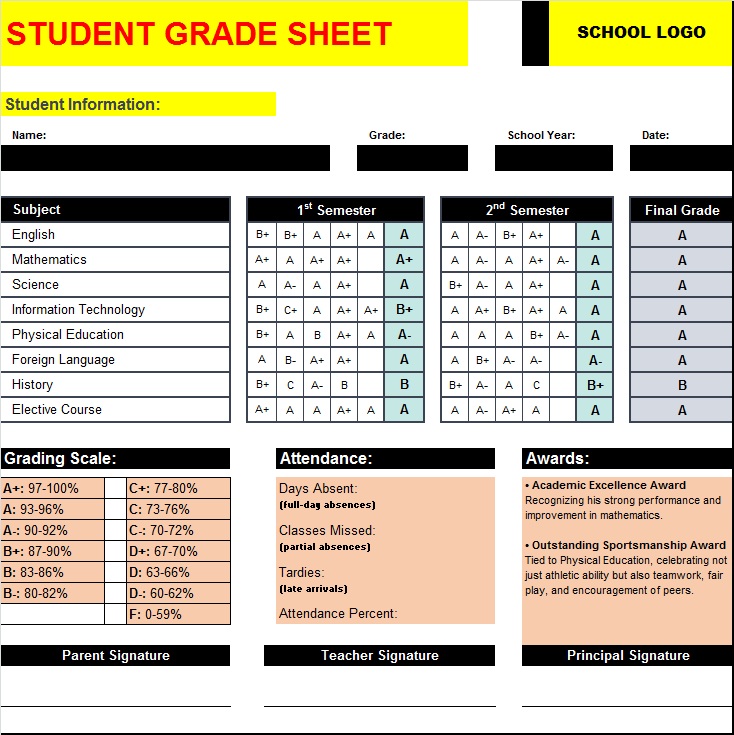
Key Components of Gradebook Template

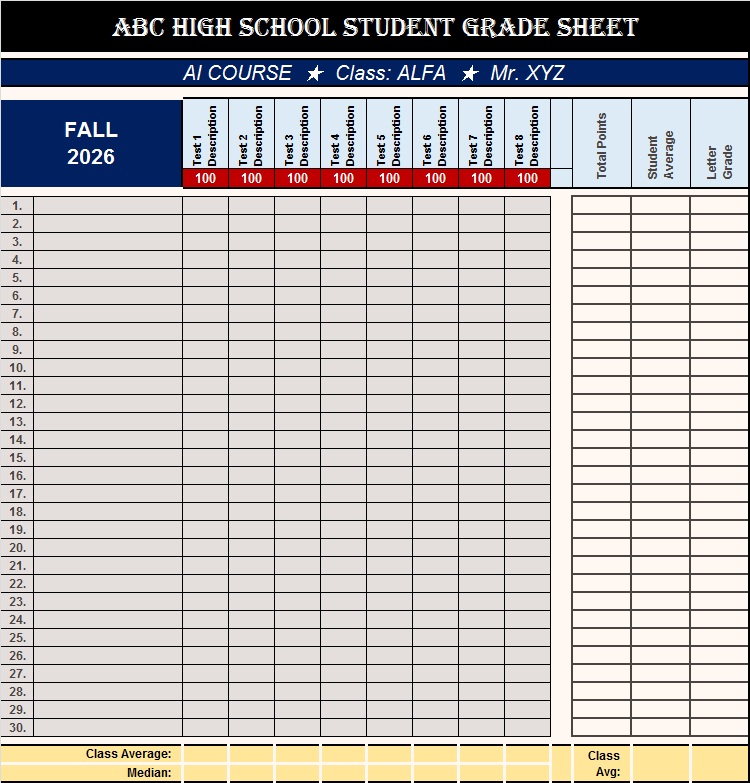
  1. Column of student names  and roll number (typically on the left-hand side)
  2. Draw horizontal row listing assignments with date, page number, or description.
  3. Highlight Sections to list tests, quizzes, and projects.
  4.  See also School Cards.Column or space for entering grades and scores.
  5. Formulas that automatically total scores or calculate percentages.
  6. Area to summarize your numbers for report card grades, conversions, or credits.
  7. Notes section to include behaviour, participation points, or reminders.
  8. Separate sheets or tabs to organize different semesters or classes.
  9. Summary page to help you view each student’s overall progress.
Benefits of uses Gradebook Template

  1. It’s quick and easy to set up
  2. You’ll be organized from day one
  3. Neat formatting makes it easy to read and understand
  4. Automated formulas reduce grading and math errors
  5. Create consistent records for your students
  6. Can be used for more than one subject or class
  7. Customize the template after you download it
  8. Works well for both digital and printable versions
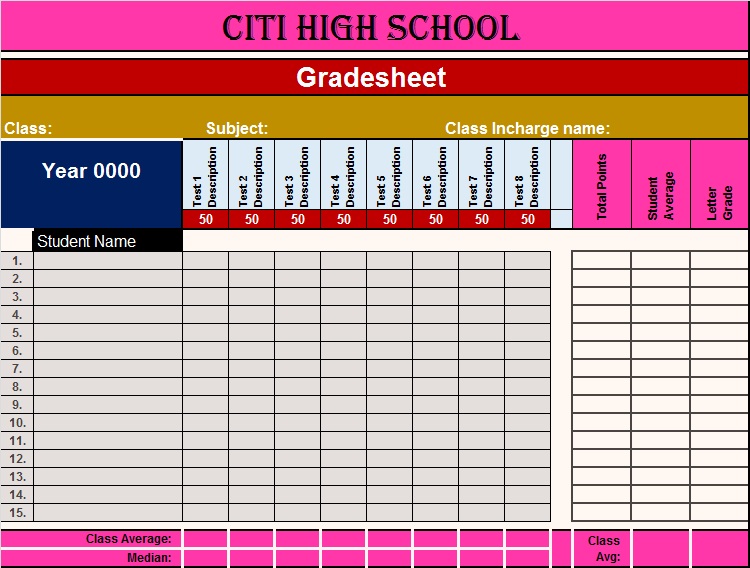
(FAQ) Frequently Asked Questions About Gradebook Templates

 Q.Why should I use a gradebook template?

It helps teachers track studence performance easily. Using a gradebook template saves time, ensures consistency, and reduces errors. It helps teachers track student progress efficiently and maintain accurate records without creating a format from scratch.

Q.What should be included in a gradebook?

A good gradebook

  1. Column of student names  and roll number (typically on the left-hand side)
  2. Draw horizontal row listing assignments with date, page number, or description.
  3. Highlight Sections to list tests, quizzes, and projects.
  4. Column or space for entering grades and scores.
  5. Formulas that automatically total scores or calculate percentages.
  6. Area to summarize your numbers for report card grades, conversions, or credits.
  7. Notes section to include behaviour, participation points, or reminders.
  8. Separate sheets or tabs to organize different semesters or classes.
  9. Summary page to help you view each student’s overall progress.

Q.Can I customize a gradebook template?

Yes, most gradebook templates are fully customizable.

Q.What is the difference between a digital and paper gradebook?

A paper gradebook is manually maintained, while a digital gradebook uses software or spreadsheets. Digital gradebooks offer automatic calculations, easy updates, and better data analysis.

Q.How often should I update my gradebook?

Yes gradebook regularly.

Q.Is a gradebook useful for students and parents?

Yes, a gradebook helps students understand their progress and motivates them to improve. It also allows parents to stay informed about their child’s academic performance.

Q.Can a gradebook track attendance as well?

Yes.

Q.How do I ensure fairness in grading?

To ensure fairness, use clear grading criteria, apply consistent standards, and consider using rubrics. Recording all data properly in the gradebook also helps maintain transparency.

Q.Is it safe to use digital gradebooks?

Yes, digital gradebooks are safe if proper security measures are followed, such as using strong passwords and limiting access to authorized users only.

Leave a Reply

Your email address will not be published. Required fields are marked *